Scouting · Guide
Why is my trail camera not working? The diagnosis order that finds it
Nearly every trail camera that stops working has one of five faults, and four of them are things you did rather than things that broke. Work the list in this order and you will usually find it before you reach the last item.
By Mike M.Updated Spec-checked · every figure sourced
#adReader-supported: we may earn a commission if you buy through our links, at no extra cost to you. It never decides a ranking. How we rank · Disclosure
The order to check things
This order is not arbitrary. It runs from the most common cause to the least, and from the cheapest test to the most expensive. Working it backwards — sending the camera back first — is how people lose a season to a problem they could have fixed at the tree.
1. Batteries, always first
If the camera takes daylight photos and no night photos, stop reading and change the batteries. The infrared flash is the largest current draw in the housing by a wide margin, and a cell that still reads partly charged at rest often cannot deliver that current under load. The camera keeps working in daylight, because a daylight exposure needs almost nothing, and produces black frames at night.
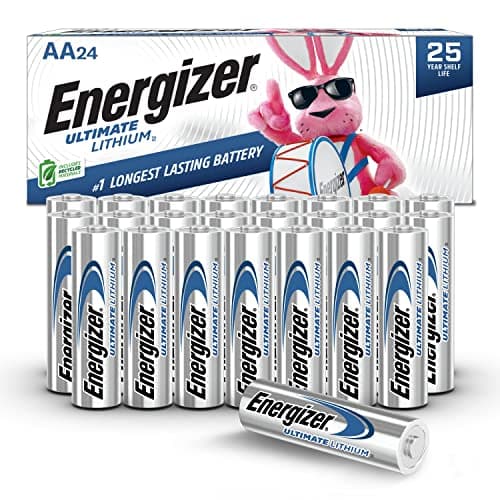
Three rules. Use lithium AA primaries for any long deployment: Energizer rates its Ultimate Lithium cells from -40°F to 140°F, which is the only AA specification in this category with a stated cold range. Replace all cells at once, never mix old and new or mix chemistries. And do not trust the on-camera battery meter below about half, because it reads resting voltage rather than available current.
Alkaline cells are also the main reason cameras die physically: they leak when flat, and leaked electrolyte in a battery tray ends the camera rather than the season. The full comparison is in best batteries for trail cameras, and the cold-weather case in batteries in cold weather.
2. The card and the SD error
An SD error message means one of four things, in rough order of likelihood: the card is not formatted the way the camera expects, the card is locked by its physical write-protect switch, the card is larger than the camera supports, or the card is failing.
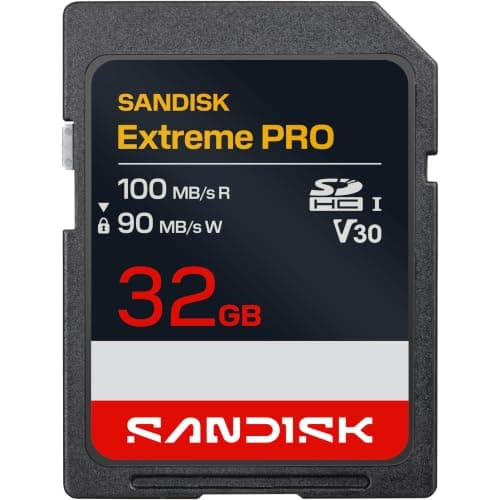
Format in the camera, not on a computer. Computers write filesystems that are correct and unexpected; a trail camera formats the card the way its own firmware wants it. Check the maximum card size in the manual before you buy — our registry includes cameras that accept up to 512GB and cameras that stop at 128GB, and a card that is too large will sometimes appear to work and then fail when it fills. And buy a card rated for continuous writes rather than the cheapest available; a SanDisk Extreme PRO class card is inexpensive insurance against the one failure you cannot recover from. The card rules in full are in the trail camera SD card guide.
3. Camera ran but the card is empty
The batteries are used, the camera is on, and there is nothing on the card. Three causes.
The card was never seated. A card pushed in but not clicked home lets the camera boot and fail silently on write. Push until it clicks and confirm the counter increments. The second is that the camera was in a mode you did not intend — a time-lapse window set to hours when nothing moves, or operational hours that excluded the whole day. The third is that the PIR sensor never fired, which on a correctly working camera means the aim or the distance is wrong: a camera aimed straight down a trail rather than diagonally across it misses animals that walk directly at it, because a PIR sensor detects movement across its zones rather than toward it. See placement and detection range.
The opposite problem — hundreds of photos of nothing — has its own page: trail camera false triggers.
4. Foggy, milky or washed-out images
Fog inside the housing is condensation, and condensation is warm humid air that you sealed in. Load cards and batteries at the truck or in an unheated garage rather than a warm kitchen, keep a fresh silica desiccant packet inside and replace it on every visit, and seat the gasket deliberately — most water ingress is a case pulled slightly out of square by a tight strap against a ridge in the bark.
If the fog is on the outside, it is dew on a cold lens and it will clear by mid-morning. If every night photo is washed out white in the middle, that is not fog at all: it is something close to the lens reflecting the flash, usually a grass head, a leaf or a spider web. Clear the lane, check for webs each visit, and keep the housing wiped.
If images are sharp in the day and smeared at night, the cause is motion during the flash exposure rather than a fault. A night exposure is long; an animal walking through it blurs. Closer sets and faster cameras reduce it — the night-photo page walks through the whole list.
5. Will not power on at all
Pull every cell, wipe both contacts in the tray with a dry cloth, and look for green or white crust from a previous leak. Corroded contacts are the single most common cause of a genuinely dead camera and they are often salvageable with a pencil eraser. Check that the tray connector is fully home if your camera uses a removable tray, and if the camera has an external power jack, try it with a known-good 12V supply: a camera that runs on external power and not on cells has a tray fault rather than a board fault.
If none of that brings it up, now it is a warranty question. Note the purchase date before you call: Spypoint publishes a two-year warranty, Bushnell a two-year limited warranty on the CelluCORE line, and Tactacam one year from activation, so the answer varies by brand more than people expect.
Cellular-only faults
A cellular camera adds its own failure list, and it is worth knowing which half of the system is broken before you touch the camera. If the app shows recent photos and the camera is in the woods, nothing is wrong with the camera. If the app shows nothing, check whether the camera has signal, whether the plan is active and paid, and whether the SIM is activated for that specific body — a plan attached to a different camera on the same account is a common and invisible mistake.
Weak signal is the most common cellular fault and the most fixable: an external antenna on a camera with an antenna port typically costs a fraction of the camera. Options are in best cellular trail camera antennas, and the whole diagnosis sequence for a camera that is not sending is in cellular trail camera not sending pictures.
The four things worth owning
Our picks for this
A troubleshooting kit, not a shopping list
Three of these prevent the faults above rather than fixing them after the fact. The fourth is the camera we would replace a chronically unreliable body with.
Best AA batteries for trail cameras
Energizer Ultimate Lithium AA
Batteries8.9/10Rated from -40 to 140 degrees Fahrenheit. The single highest-value change you can make to a camera that keeps dying.
$41.98Amazon#ad · Price as of October 12, 2026 · Disclosure for the link to Energizer Ultimate Lithium AA
Best SD card for trail cameras
SanDisk Extreme PRO 32GB SDHC UHS-I (U3, V30)
SD card8.8/10A card rated for continuous writes, at a size every camera in our registry supports. Carry two and swap at the tree.
$27.62Amazon#ad · Price as of October 12, 2026 · Disclosure for the link to SanDisk Extreme PRO 32GB SDHC UHS-I (U3, V30)
Best stand-alone trail camera viewer
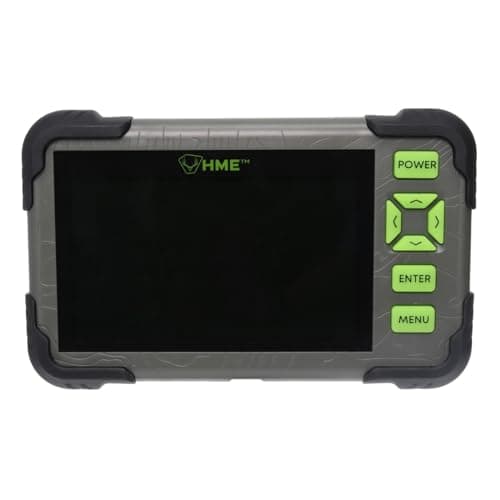
HME HD SD Card Read/View (4.3-inch LCD)
Accessory8.6/10A 4.3-inch handheld viewer so you can confirm the camera is actually recording while you are standing at it, instead of finding out next month.
$81.43Amazon#ad · Price as of October 12, 2026 · Disclosure for the link to HME HD SD Card Read/View (4.3-inch LCD)
- GardeProNo image
Best measured value
GardePro T5NG Pro
SD / Wi-Fi8.8/10An internal screen for aiming and checking, adjustable PIR and operational hours, and 29.8 months of measured photo runtime. Few faults survive a camera you can see through.
Check price · Amazon#ad · Price as of October 12, 2026 · Disclosure for the link to GardePro T5NG Pro
How we scored this
The research behind these picks
Every pick here is built from documented evidence: the maker's published trigger speed, flash type, battery configuration and detection range; each brand's plan tiers verified on its own plan page and turned into the real monthly cost at one and four cameras; the independent shootouts (Trailcampro, Outdoor Life, Field & Stream, TechGearLab) cited by name for the measurements they published; and a public rubric applied the same way to every model. Every figure links to where it came from, so you can check our work in one click.
Scores are editorial judgments from that documented research. Commissions never set a score or decide a pick. The rubric and its weights are published.
Questions
Frequently asked
Why is my trail camera not working?
In order of likelihood: the batteries cannot supply the flash, the card is unformatted, locked, too large or failing, the housing has condensation inside it, or the aim and settings mean the PIR never fires. A genuinely broken camera is the least likely of the five.
Why does my trail camera say SD error?
Usually a format the camera does not recognize, a card locked by its write-protect switch, or a card larger than the camera supports. Format the card in the camera rather than on a computer, and check the maximum supported size in the manual.
Why is my trail camera foggy?
Condensation from warm, humid air sealed inside the housing. Load batteries and cards outdoors or in an unheated space, keep a fresh desiccant packet inside and replace it each visit, and make sure the gasket seats evenly rather than being pulled out of square by the strap.
Why does my trail camera take day pictures but not night pictures?
Because the infrared flash is the biggest current draw in the camera and the batteries can no longer supply it, even though they still read partly charged. Replace all cells with lithium AA primaries before suspecting the camera.
My trail camera ran out of battery but the card is empty. Why?
Most often the card was pushed in but not clicked home, so the camera booted and failed silently on write. Otherwise check operational hours and mode settings, and check the aim: a PIR sensor detects movement across its zones, so a camera aimed straight down a trail can miss animals walking directly toward it.
How do I know if my trail camera is broken or just set up wrong?
Walk a test. Set a short delay, walk through the frame at the distance animals use, then check the card or the app. If it photographs you, the camera works and the problem is placement, timing or settings. If it does not, change the batteries and repeat before concluding anything.
Keep reading
Related on Cam & Canopy
- Not taking night picturesThe deepest of the five faults, on its own page.
- Not sending picturesThe cellular half of the diagnosis.
- Trail camera SD card guideSize, speed, formatting and the write-protect switch.
- Trail camera false triggersThe opposite problem: hundreds of photos of nothing.
- Best batteries for trail camerasWhat to put in it so this stops happening.
- Best trail camera viewersConfirming the camera works while you are still at the tree.
Receipts
Sources
- Energizer — Ultimate Lithium AA product page (checked 2026-09-21)
- MicroBattery — Panasonic eneloop pro AA BK-3HCCA spec listing (checked 2026-09-21)
- SanDisk — Extreme PRO SDHC/SDXC UHS-I product page (checked 2026-09-21)
- HME Products — HD SD Card Read/View with 4.3" LCD screen product page (checked 2026-09-26)
- HME Products — SD cards and readers listing, prices and stock (checked 2026-09-26)
- Trailcampro — GardePro T5NG Pro review, measured figures, score and stock (checked 2026-09-28)
- Spypoint — FLEX-M2 product page (checked 2026-09-21)
- Bushnell — CelluCORE 20 Solar product page (checked 2026-09-21)
- Tactacam — REVEAL X 4.0 product page (checked 2026-09-24)
Every number above is traceable: specs come from the maker's own product pages (linked on every product), plan prices from the maker's plan page with an “as of” date, and independent measurements are attributed to whoever made them. Amazon prices change often, so every buy button takes you to Amazon's current price for that listing. Read the full method.